This is the written version of Immersive realities, taken from the lesson itself. The simulations, drag-and-drop activities and quizzes only work in the interactive lesson.
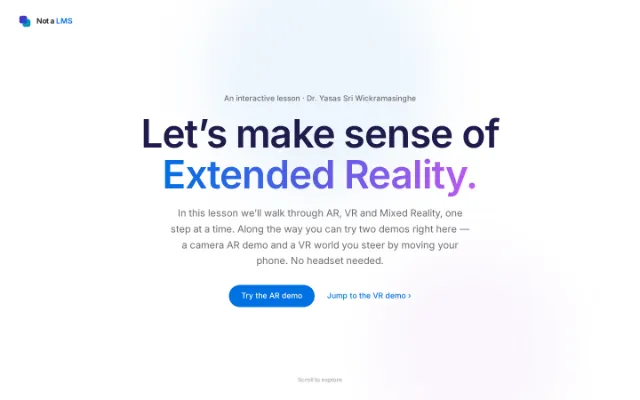
In this lesson we’ll walk through AR, VR and Mixed Reality, one step at a time. Along the way you can try two demos right here — a camera AR demo and a VR world you steer by moving your phone. No headset needed.
Start here
It’s all one spectrum, from real to virtual
“Extended Reality” (XR) is just an umbrella word for any technology that mixes the real world with digital content. Drag the slider to see how the different types line up — this picture is known as Milgram’s reality–virtuality continuum.
Augmented Reality
Digital things are drawn on top of the real world. You can still see the room around you the whole time.
Augmented Reality
Digital things are drawn on top of what you can already see. The room around you stays visible — the virtual content just sits over it.
Virtual Reality
Everything you see is made by a computer. You’re fully inside a digital world, with the real room shut out.
Mixed Reality
Digital objects are pinned to real surfaces and react to the space around them. The real and the virtual share the same room.
If you’d rather watch than read, this short video covers the same idea in a few minutes.
Augmented Reality · try it
Place 3D objects in your room
This demo uses your phone’s back camera. Tap to drop an object, then move your phone around — it stays put where you placed it, the same way a real AR app works.
Live camera AR
Uses your real rear camera. Allow camera and motion access, then tap to drop 3D objects — they stay anchored in place as you move the phone.
Works best on a phone. The camera and motion sensors stay on your device — nothing is uploaded or saved.
You’ve probably already used AR. Pokémon GO places characters into the camera view of the real world around you.
Virtual Reality · try it
Look around a virtual world
This is a small solar system drawn in 3D. On a laptop, drag with your mouse to look around. On a phone, tap “Move your phone to look around” and turn your body — the phone’s motion sensor moves the view for you. Turn on Cardboard mode for a split-screen headset view.
On a phone, tap “Move your phone” to look with the gyroscope
On a laptop, just drag to look around. On a phone, Cardboard mode splits the screen so it works in a cheap cardboard headset.
Our demo is just a small taste. This short explainer shows how full VR headsets put you inside a computer-generated world.
At a glance
AR vs VR vs MR
A quick side-by-side, so it’s easy to keep the three straight.
| Aspect | AR | VR | MR |
|---|---|---|---|
| Real world visible? | Yes | Blocked | Yes |
| Digital objects? | Overlaid | Everything | Anchored |
| Interacts with real space? | Limited | None | Fully |
| Typical device | Phone / glasses | Headset | Smart glasses |
| Examples | Pokémon GO, IKEA Place | Meta Quest, PSVR | HoloLens, Vision Pro |
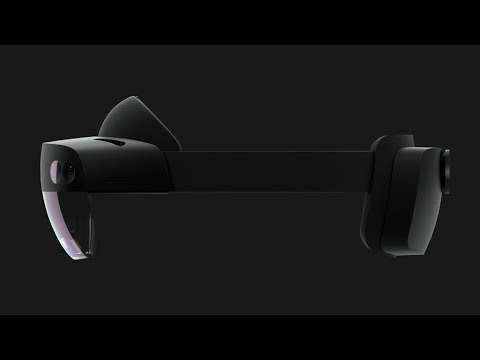
Mixed Reality is the trickiest of the three to picture. Microsoft’s HoloLens 2 shows holograms sitting in a real room.
In the real world
Where people actually use XR
It isn’t just for games. Here are a few fields already using XR in everyday work.
Medicine
Doctors can see scans laid over a patient during surgery, and trainees practise operations in VR where mistakes are safe.
Architecture
You can walk through a building in VR before it is built, which makes problems much easier to spot early.
Education
Students explore things that are hard to bring into a classroom — the inside of a cell, ancient Rome, or the planets.
Shopping
Apps let you see how a sofa would look in your living room, or try on glasses, before you buy anything.
Manufacturing
Workers wearing MR headsets see step-by-step instructions floating right over the machine they are building.
Games
From full VR games to phone games like Pokémon GO, XR has changed the way we play.
For Information Systems students
How AR and VR show up in IS
XR isn’t only about games. Businesses use it to collect, study and act on information. Here are some current examples that connect back to what you’re studying in Information Systems.
Exploring data in 3D
Instead of staring at flat charts, analysts can step inside their data and walk around it as a 3D landscape. Seeing it in space can make patterns in large datasets easier to spot.
The immersive analytics market is expected to grow from about $1.2B in 2025 to $6.2B by 2035.
Digital twins
A digital twin is a live virtual copy of a real factory, product or supply chain, kept in sync through sensors and business systems. Teams can test changes on the copy before touching the real thing.
In 2025, digital twins moved from trial projects into everyday business use.
AR in the warehouse
Warehouse staff wear smart glasses that show where to go and what to pick, right there on the shelf — hands free, and linked to the warehouse system so stock stays accurate.
Amazon began rolling out Vuzix AR glasses in May 2025, reporting faster picking and fewer mistakes.
Working together in a shared space
Teams in different cities can meet around the same 3D model to design and review work together, almost as if they were standing in one room.
Often called the “industrial metaverse” — engineers in different places working on one model at the same time.
Repairs guided by AR
A technician can look at a machine and see its current readings and the repair steps laid right over it, pulled straight from the company’s records. No flipping through a paper manual.
Boeing’s “virtual airplane” lets engineers explore the inside of an aircraft in 3D.
Dashboards floating around you
With a headset like Apple Vision Pro, the dashboards and KPIs you’d normally squeeze onto one screen can float around you as panels you arrange in the space.
Global spending on AR is expected to pass $100B by 2026.
The gear
Headsets and glasses you’ll hear about
- Apple Vision Pro
- Meta Quest 3
- Microsoft HoloLens 2
- PlayStation VR2
- Vuzix Smart Glasses
- Google Cardboard
Want to build your own?
The tools developers use
- Unity
- Engine
- Unreal Engine
- Godot
- three.js
- Web 3D
- A-Frame
- WebGL
- WebXR
- ARKit
- SDK
- ARCore
- OpenXR
- Blender
- 3D assets
- STEP 1
- Pick an engine
- Unity · Unreal · WebXR
- STEP 2
- Add an XR SDK
- OpenXR · ARKit · ARCore
- STEP 3
- Build & deploy
- Headset or browser
- Check yourself
Five quick questions
See how much of the lesson stuck.
You can see the real world through a VR headset.