This is the written version of Systems security, taken from the lesson itself. The simulations, drag-and-drop activities and quizzes only work in the interactive lesson.
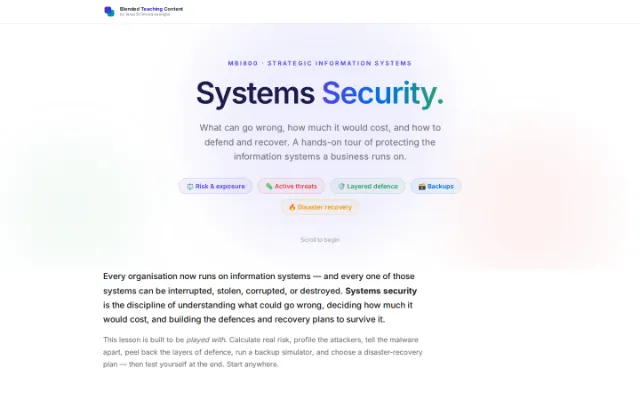
What can go wrong, how much it would cost, and how to defend and recover. A hands-on tour of protecting the information systems a business runs on.
⚖️ Risk & exposure 🦠 Active threats 🛡️ Layered defence 🗃️ Backups 🔥 Disaster recovery
Every organisation now runs on information systems — and every one of those systems can be interrupted, stolen, corrupted, or destroyed. Systems security is the discipline of understanding what could go wrong, deciding how much it would cost, and building the defences and recovery plans to survive it.
This lesson is built to be played with. Calculate real risk, profile the attackers, tell the malware apart, peel back the layers of defence, run a backup simulator, and choose a disaster-recovery plan — then test yourself at the end. Start anywhere.
Part 1 · The stakesWhat can you actually lose?
Before defending anything, name what is at risk. A computerised information network exposes six distinct kinds of loss. Tap each to see it in the real world.
Part 2 · Build it like a systemA security system has a life cycle
A computer security system is developed like any other information system — through the same four phases. It is never 'finished'; it loops.
Analyse the system's vulnerabilities in terms of the threats that are actually relevant to it, and the loss exposure each one carries. You cannot protect against a threat you have not named.
Part 3 · Measure the riskHow big is the threat, really?
Two ways to size up a threat. The quantitative approach multiplies cost by likelihood; the qualitative approach simply ranks threats by judgement. Try the calculator.
Put a number on it. Loss exposure = cost of one loss × how likely it is. Drag the sliders.
No precise numbers? Just list the threats and rank them by how much they contribute to total loss exposure. Faster, more subjective.
- Ransomware encrypts customer database Critical
- Disgruntled employee deletes records High
- Laptop with no sensitive data stolen Medium
- Printer in lobby jams Low
Used when reliable cost/probability data is hard to get — which, in real life, is most of the time.
Part 4 · The attackersActive threats: fraud and sabotage
Active threats are deliberate — someone is doing this on purpose. First, who they are; then, the six ways they strike.
Maintenance staff, programmers, operators, administrators and data-control clerks. They have the deepest access — and so the greatest opportunity.
People outside the data-processing function who still touch sensitive data and control important inputs. Often overlooked, frequently the entry point.
Outsiders breaking in. Hackers do it for fun and challenge; others include wiretappers, eavesdroppers, impersonators and the unnoticed intruder.
Input Manipulation
What it is — Feeding deliberately wrong input to get a wrong result — misappropriating assets or hiding an embezzlement.
Why it matters — It is the most frequently used method of computer fraud, precisely because it needs the least technical skill. You do not need to be a programmer to type a fake invoice.
How often this method is used Very high
Note: the white-collar criminal is notoriously hard to identify — managers often avoid public prosecution to dodge the negative publicity, so much computer crime never surfaces at all.
Part 5 · Malware labLogic bomb, Trojan, worm, or virus?
Sabotage has a toolkit. These four get confused constantly — so let's pin them down. Read the cards, then identify each scenario.
A dormant piece of code that lies in wait and is triggered by a specific later event (a date, a deletion, a name vanishing from payroll).
A destructive program disguised as a legitimate, useful one. You run it willingly — that is the trick.
A virus that spreads itself across a computer network, hopping machine to machine without needing a host program.
Code that spreads by attaching itself to other programs, "infecting" them with a copy of itself.
Identify the threat · 1/4
"Code left by a fired developer that wipes the database exactly 90 days after their name disappears from the payroll file."
Part 6 · Defence in depthControls for active threats
The answer to a determined attacker is layers. Three rings of access control stand between a perpetrator and the data. Tap a ring.
🎯
Layer · Site-access controls
Keep the wrong people away from the hardware itself — locked server rooms, security guards, badge readers, cameras. The outermost wall.
A layered approach separates a perpetrator from their target. To reach the data, an attacker must defeat every ring — and each one is a fresh chance to stop them.
Part 7 · When nobody is attackingPassive threats: failures, not attackers
Power cuts, dead disks, crashed processors — no villain, just entropy. Two controls keep the business running: fault tolerance and backups.
A fault-tolerant system survives a failure because a redundant part takes over immediately, with little or no interruption. Redundancy can be built at five levels — tap each:
🗃️ Backup simulator
A full backup ran Sunday night. Through the week, files change. Switch the strategy and watch what each daily backup saves — and what it costs you to recover after Friday's disaster. (Watch the archive bit behaviour described in each card.)
Incremental backup — Only what changed since last backup
Backs up only files changed since the last backup (bit = 1), then sets bit to 0.
| Day | Files modified | This backup saves |
|---|---|---|
| Mon | A B | A B |
| Tue | C | C |
| Wed | A | A |
| Thu | D | D |
| Fri | B E | B E |
💥 Disaster strikes Friday evening — to fully restore you need:
Sunday's full + every single daily backup (Mon→Fri). Smallest backups, slowest restore — lose one tape and the chain breaks.
Part 8 · Disaster risk managementWhen the whole site is gone
Prevention first — but if disaster wins, a recovery plan and an alternate processing arrangement keep you alive. Weigh the three classic options.
A disaster recovery plan answers one question: where do we run when our own building is gone? Pick an alternate processing arrangement and weigh the trade-off.
Partially equipped — hardware in place, but data not fully live. A balance of standing cost and recovery speed.
Part 9 · The human layerNo system is infallible — so build the culture
Since no security system is perfect, you create an atmosphere where security is the default. These organisational controls do the quiet heavy lifting.
✓ Separate the accounting and computing functions.
✓ Separate the duties of computer users and systems personnel.
✓ Cancel access privileges the instant an employee is fired.
✓ The board appoints an audit committee, which approves the internal audit director.
✓ Use budgets to control spending on equipment.
✓ Thoroughly test all system security.
✓ Keep a well-documented internal policy against software piracy.
Final challengeProve it. Five scenarios.
Pull it all together — risk, threats, malware, controls, backups. Answer all five, then submit for instant feedback.
1. A clerk enters fake supplier invoices to divert payments to themselves. No code is changed. Which active threat is this?
2. You want the smallest possible daily backups and accept a slow, multi-tape restore. Which strategy?
3. An attacker is in the building and logged in, but cannot open the payroll file. Which control stopped them?
4. Loss costs $400,000 and has a 25% chance per year. What is the annual loss exposure (quantitative)?
5. Code planted by an insider detonates the moment their name leaves the payroll system. This is a…
Security isn't a product you buy once. It's a life cycle: name the risks, size them, build layered defences, plan for the failure you hope never comes — then do it all again as the threats evolve.
MBI800 · Strategic Information Systems · Master of Business Informatics