This is the written version of Normalisation activities, taken from the lesson itself. The simulations, drag-and-drop activities and quizzes only work in the interactive lesson.
Blended Teaching Content by Yasas Sri Wickramasinghe
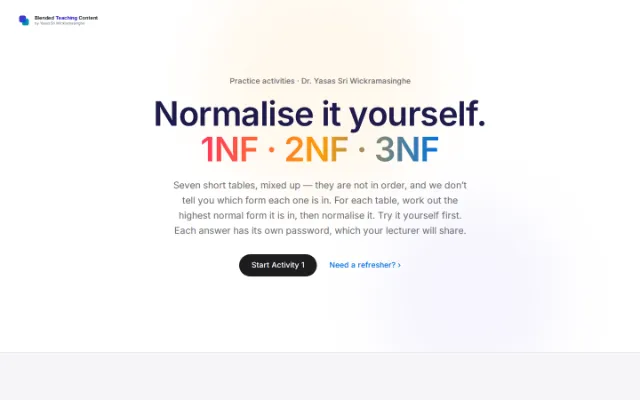
Practice activities · Dr. Yasas Sri Wickramasinghe
Normalise it yourself. 1NF · 2NF · 3NF
Seven short tables, mixed up — they are not in order, and we don’t tell you which form each one is in. For each table, work out the highest normal form it is in, then normalise it. Try it yourself first. Each answer has its own password, which your lecturer will share.
Need a refresher? ›
How to use this
Read, decide, normalise, check
Each activity works the same way. Do your own answer first, then unlock the one here to check it.
Find the problem
Read the table. Where is the same value repeated, or where is a cell holding a list?
Name the form
Decide the highest normal form it is in now — 1NF, 2NF or 3NF. Some are already fine.
Split and check
Break it into clean tables, then unlock the answer to check your work.
Activity 1 · Online shop
The order lines table
An online shop keeps its order lines in one table. The key is made of two columns, {OrderID, ProductID}. Look at what each column depends on.
Order_Items PK: {OrderID, ProductID}
| OrderID | ProductID | ProductName | Quantity |
|---|---|---|---|
| O1 | P1 | Keyboard | 2 |
| O1 | P2 | Mouse | 1 |
| O2 | P1 | Keyboard | 3 |
Your task
Work out the highest normal form this table is in right now — then normalise it.
The answer is locked
Try the table on your own first. Each activity has its own password — your lecturer will give you the one for this table to see the full answer.
Activity 2 · Streaming service
The movies table
A streaming app stores each movie with its cast in one column, separated by commas. Look at the table and decide what to do.
| MovieID | Title | Actors |
|---|---|---|
| M1 | Inception | DiCaprio, Hardy |
| M2 | Titanic | DiCaprio, Winslet |
| M3 | Joker | Phoenix |
Activity 3 · Library
The books table
A library lists its books in one table. The key is a single column, BookID. Look at how the city is linked to the book.
| BookID | Title | PublisherID | PublisherCity |
|---|---|---|---|
| B1 | SQL Basics | PUB1 | London |
| B2 | Data 101 | PUB1 | London |
| B3 | Web Dev | PUB2 | Paris |
Activity 4 · Customer records
The customers table
A shop keeps its customers in this table. The key is a single column, CustomerID. Read it carefully — not every table needs changing.
| CustomerID | CustomerName | |
|---|---|---|
| C1 | Ravi | ravi@mail.com |
| C2 | Mary | mary@mail.com |
| C3 | Sara | sara@mail.com |
Activity 5 · Student clubs
The student clubs table
A coordinator keeps each student’s clubs in one column, separated by commas. Look at the table and decide what to do.
Student_Clubs PK: StudentID
| StudentID | StudentName | Clubs |
|---|---|---|
| S1 | Amal | Chess, Drama |
| S2 | Nimal | Cricket |
| S3 | Kamala | Art, Music, Dance |
Activity 6 · Health clinic
The appointments table
A small clinic books appointments in one table. The key is the pair {PatientID, DoctorID}. This one has two repeated facts — find them both.
Appointments PK: {PatientID, DoctorID}
| PatientID | PatientName | DoctorID | DoctorName | Fee |
|---|---|---|---|---|
| PT1 | Ravi | DR1 | Dr. Perera | $40 |
| PT1 | Ravi | DR2 | Dr. Silva | $55 |
| PT2 | Mary | DR1 | Dr. Perera | $40 |
Activity 7 · HR system
The employees table
This HR table lists employees and the department each one works in. The key is a single column, EmpID. Look at how DeptName is linked to the key.
| EmpID | EmpName | DeptID | DeptName |
|---|---|---|---|
| E1 | Sara | D1 | Sales |
| E2 | John | D1 | Sales |
| E3 | Lisa | D2 | IT |