This is the written version of Introduction to DBMS, taken from the lesson itself. The simulations, drag-and-drop activities and quizzes only work in the interactive lesson.
Section 1.2 · Why file-based systems failThe hospital spreadsheet
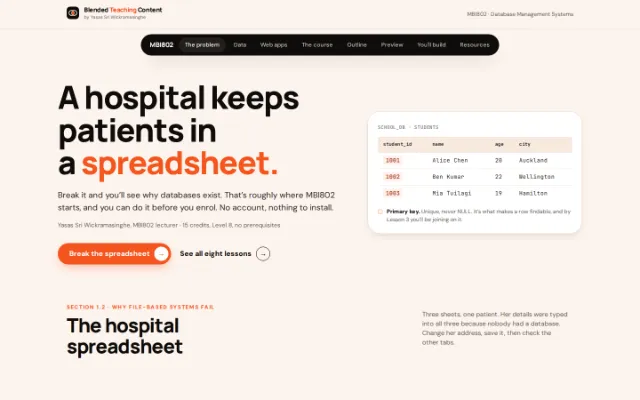
Three sheets, one patient. Her details were typed into all three because nobody had a database. Change her address, save it, then check the other tabs.
Admissions.xlsx — last saved by reception, 9:14 AM| Patient ID | Name | Address | NHI | Ward |
|---|---|---|---|---|
| P-4471 | Mere Rangi | 14 Queen St, Auckland | ABC1234 | 3B |
| P-4472 | Tom Fletcher | 6 Ponsonby Rd, Auckland | DEF5678 | 3B |
| P-4488 | Sina Faleolo | 22 Dominion Rd, Auckland | GHI9012 | 3B |
3 copies of her address exist. Only the sheet you save will be right.
Nothing is wrong yet. All three sheets agree, because nobody has changed anything yet.
Redundancy
The same patient is re-typed in admissions, the ward sheet and pharmacy.
A DBMS: One shared store. Each fact written once.
Inconsistency
She moves. Two of the three copies never get updated. Which one is true?
A DBMS: Centralised updates, with constraints keeping data valid.
Security
Anyone holding the file holds all of it. Reception sees what the doctors see.
A DBMS: Per-user permissions, so each role sees only its own slice.
Concurrency
Two nurses open it at once. The second save silently wins.
A DBMS: Concurrency control, so many people can work at once.
No integrity rules
Nothing stops a discharge date earlier than the admission date.
A DBMS: Validation and types enforced by the system itself.
Redundancy, inconsistency, security, concurrency, integrity. Learn those five names — they come up in the exam more often than any definition. We do this same exercise in pairs, on paper, in class.
Section 1.1 · Data vs informationData and information
Data is raw. Information is data with context and processing applied to it. Add the pieces below and the difference gets obvious.
Raw data
Could be a mark, an age, a heart rate, a bus route. Nobody can decide anything with it.
Add context
Tap the pieces in any order.
Information
85
Accurate — Reflects reality. Wrong information is worse than none.
Complete — Nothing essential is missing from the picture.
Timely — Current, and available when the decision is made.
Relevant — Actually useful for the decision at hand.
Context plus processing is all it takes. Keep adding.
Now tell them apart
Six things from the chapter. Some are raw, some have had enough added that you could act on them. In the exam you’ll be asked which is which, plus one sentence saying why — and the “why” is where the marks are.
42practice question 1(a)Which is it?
Data is raw — numbers and words on their own. It turns into information once somebody adds enough around it that you could act on it. You’ll get the reasoning either way.
Section 1.3 · Where it all livesWhere the database actually sits
Nearly every app on your phone is talking to one, though you never see it. Follow a single tap all the way there and back.
Think of it as a restaurant. You’re at the table, the kitchen is out the back, and a waiter goes between the two. You never walk into the kitchen yourself — and that turns out to be the whole point.
Step 1 of 6You tap “My grades”
In the restaurant You sit down and pick something off the menu.
On screen
- A link My grades
Nothing has left your phone yet, and no database anywhere has been bothered.
So why can’t your browser just ask the database itself?
Because anything your browser knows, you can go and look at. Right-click, view source, and there it is. If the database password were in there, anyone could find it and then help themselves to everybody’s grades, not only their own. Keeping the server in the middle means the only questions the database ever hears are ones the university wrote itself.
What this course isDatabase Management Systems.
15 credits, Level 8, no prerequisites. Plenty of people arrive having never opened a database.
Over the trimester you’ll design relational databases, query them with SQL, and think about who gets access to the data you’re storing. 150 learning hours: 36 in class with me, 114 on your own.
By the end you should be able to decide who gets access to data and why, judge whether a design will hold up under real use, and look at someone else’s database and say what’s wrong with it. Most of your career will be spent on databases other people built, so that last one gets a lot of attention.
- 15 Credits, Level 8, no prerequisites
- 150 Learning hours: 36 in class, 114 yours
- 8 Lessons, in a deliberate order
- 58 Knowledge-check questions with instant feedback
The lesson outlineEight lessons
The same structure the study pack and the lesson plans follow. Each lesson assumes the one before it.
- Introduction to DBMS You are here Data vs information, why file-based systems fail, the relational model, setting up MySQL. By the end You are reading this lesson right now.
- SQL Programming Fundamentals The language of relational databases. Data types, CREATE, INSERT, and your first SELECT queries. By the end Write DDL statements and insert your first rows into a real table.
- Advanced SQL Queries Filtering, sorting, safe UPDATE and DELETE, aggregate functions, and your first JOIN. By the end Combine two related tables with an INNER JOIN.
- ER Diagrams Foundations Chen's notation. Entities, attributes, keys, relationships, and cardinality. By the end Draw a complete ER diagram from a written scenario.
- Advanced ER Concepts Weak entities, composite and multivalued attributes, and total vs partial participation. By the end Apply the full Chen symbol set to a scenario you have not seen before.
- ER to Relational Mapping The eight rules that turn any ER diagram into a complete set of tables. By the end Turn a diagram into a schema without guessing.
- Database Normalization Functional dependencies, 1NF through BCNF, and decomposing a messy table properly. By the end Take a table that contradicts itself and split it until it doesn’t.
- Consolidation & Exam Preparation The full pipeline from raw data to a normalized, queryable database. Where to go next. By the end Build a small database end to end, on your own.
A small previewSome of what's coming
Examples from the actual lessons. There's a good deal more once we get going.
Same idea as the widget at the top of the page. Learn the four quality characteristics properly — you’ll be asked to name them.
From the Lesson 1 chapter: data becomes information through processing and context.
| Quality information is | Meaning |
|---|---|
| Accurate | Reflects reality. Wrong information is worse than none. |
| Complete | Nothing essential is missing from the picture. |
| Timely | Current, and available when the decision is made. |
| Relevant | Actually useful for the decision at hand. |
Writing SQL
A real table, real rows, and a query that returns something. This is the code from Lesson 2.
lesson02_sql_fundamentals.sqlCREATE DATABASE school_db;
USE school_db;
CREATE TABLE students (
id INT PRIMARY KEY,
name VARCHAR(100),
age INT,
email VARCHAR(150),
gpa DECIMAL(3,2)
);
INSERT INTO students (id, name, age, email, gpa)
VALUES
(1, 'Alice', 20, 'alice@uni.edu', 3.80),
(2, 'Bob', 22, 'bob@uni.edu', 3.50),
(3, 'Carol', 21, 'carol@uni.edu', 3.90);
SELECT name AS 'Student Name',
gpa AS 'Grade Point'
FROM students;A few lessons later you do the same thing again, but with a table you designed yourself, for a scenario chosen for you: a library, a hospital, a hotel, a gym. Everyone gets a different one.
Designing before building
An architect plans the rooms before anyone pours concrete. We plan the tables before anyone writes CREATE TABLE. Chen’s notation is what we use for the whole course.
From the Lesson 4 chapter: the four Chen notation shapes, and what each one becomes in the database.
Cleaning up a bad table
From the normalization chapter. It records students, departments and courses in one table. The red columns are where it goes wrong.
| StudentID | Name | Dept | DeptHead | Courses | Instructor |
|---|---|---|---|---|---|
| S1 | Alice | CS | Dr. Smith | DB, OS, Networks | Lee, Ray, Kim |
| S2 | Bob | CS | Dr. Smith | DB, AI | Lee, Patel |
If Dr. Smith leaves, every CS row needs updating and it’s easy to miss one. That’s an update anomaly — one of three problems here. We name all three, then split the table until it stops contradicting itself.
From the Lesson 7 chapter: the normalization ladder, 1NF through BCNF.
Recordings
Every lecture is recorded, and there are extra videos on top of that. A few thumbnails from inside the course:
Normalization, Introduction
Normalization, Why Normalise?
Normalization, First Normal Form
Advanced ER, Activity Walkthrough
What you'll doActivities from the course
Each one has a worked answer to check yourself against.
Fix a hospital’s spreadsheet problem
The same exercise you just did at the top of this page, but in pairs and on paper. We name every failure, then name the DBMS feature that answers it.
Write your first working queries
CREATE a table, INSERT real rows, and get a real result back from SELECT. Then filter it, sort it, and join it to a second table.
Model a real system as an ER diagram
Five scenarios to choose from: a library, a university, a hospital, an online store, a hotel. You draw the diagram, then check it against a worked answer.
Get your own SQL scenario
Later in the course you get a personal, randomly assigned scenario — a library, a gym, a car rental company — and build a small working database for it from scratch.
Decompose a table that contradicts itself
Take an unnormalized table with real update and deletion problems, and split it, step by step, into a clean design.
Beyond this pageWhat else you get
A few things that open up once you're enrolled.
The written study pack
A full study pack for MBI802, typeset as a proper book, with worked examples and answer keys for every chapter.
Two knowledge checks
A 38 question check at the end of the DBMS section and a separate 20 question ER check. Instant feedback, and a badge if you do well.
A TA verified SQL lab
You get a personal scenario, build the database, and a teaching assistant reads your actual schema. Not a marking rubric — a person.
Nine free certifications
Genuinely free database certifications you can add to your profile once you are comfortable with SQL.
Take it with youSave these as notes.
A written summary of this page as a PDF: the explanations, tables and steps, without the interactive parts. Handy on a phone, or printed out.
Password to open it
Built here in your browser. Nothing is uploaded and no account is needed.
Extra reading only
A summary, not the primary lesson content. Your LMS holds the authoritative material, assessments, deadlines and announcements.
All rights reserved. For enrolled students, for personal study. Not for redistribution, re-upload to study-notes services, or training automated systems.
Your lecturerSee you in class.
That’s roughly where MBI802 starts. The rest is eight lessons of doing it properly, with someone to ask when it doesn’t work. Bring questions.
Yasas Sri Wickramasinghe MBI802 lecturer