This is the written version of Client, server and databases, taken from the lesson itself. The simulations, drag-and-drop activities and quizzes only work in the interactive lesson.
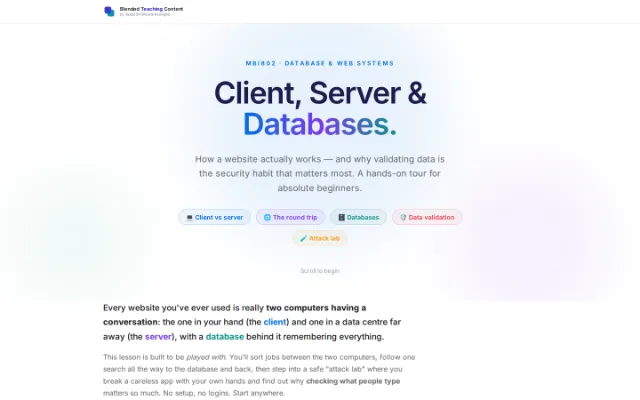
MBI802 · Database & Web SystemsClient, Server & Databases.
How a website actually works — and why validating data is the security habit that matters most. A hands-on tour for absolute beginners.
💻 Client vs server 🌐 The round trip 🗄️ Databases 🛡️ Data validation 🧪 Attack lab
Every website you've ever used is really two computers having a conversation: the one in your hand (the client) and one in a data centre far away (the server), with a database behind it remembering everything.
This lesson is built to be played with. You'll sort jobs between the two computers, follow one search all the way to the database and back, then step into a safe "attack lab" where you break a careless app with your own hands and find out why checking what people type matters so much. No setup, no logins. Start anywhere.
Part 1 · The two computersClient and server — who does what?
Two computers, and each has its own job. Tap each one to see what it does, then try sorting a few jobs between them.
The CLIENT — your device
The browser on your phone or laptop
- • Shows the page (HTML, colours, layout)
- • Reacts instantly to clicks & typing
- • Plays animations and validates the form for a friendly feel
- • Sends requests to the server when it needs real data
Key idea — It can NOT be trusted with secrets. Anyone can open it and change what it does.
Tap Client or Server for each job — then check your answers. A handy rule: anything to do with looks & feel is the client; anything to do with truth, money or storage is the server.
- Animate a button when you hover it
- Check your password is correct
- Store your order forever
- Show a red outline on an empty box
- Decide if you are allowed to see admin pages
- Scroll the page smoothly
- Charge your credit card
- Hide a menu until you tap it
Part 2 · The round tripWhat happens when you press Search
Type a name, press play, and follow it the whole way — out of your browser, into the server, down to the database and back. Keep an eye on the server's code: the line that runs the SQL lights up as it runs.
Runs on your laptop. Holds no data of its own.
What you see on the page
Someone else’s computer, running the app’s code.
app.get("/staff", (req, res) => {
  const name = req.query.name

  const rows = db.query(
    "SELECT * FROM users
     WHERE first_name = ?",
    [name]  // filled in safely
  )
  res.json(rows)
})
One table, called users. It only answers the server.
| id | first_name | last_name | city |
|---|---|---|---|
| 1 | Ava | Perera | Auckland |
| 2 | Ben | Silva | Wellington |
| 3 | Chloe | Fonseka | Christchurch |
| 4 | Ava | Jayasuriya | Hamilton |
| 5 | Dilan | Mendis | Dunedin |
You press Search
Nothing has left your laptop yet. The browser just has a name typed into a box.
Try a name that is not in the table — Zoe, say. The trip happens exactly the same way and comes back empty. That is worth seeing once: an empty result is an answer, not a failure.
Part 3 · The security labWhy data validation matters — try to break it
Most web hacks start with something a person typed into a box. In these three demos you break a careless app yourself, then watch the same attack bounce off one that checks what it is given.
3a · Client checks can be bypassed
Why a check in the browser is never enough on its own.
This form is "18 or older only". The client checks your age for a nice experience — but a determined user can open the browser tools and switch that check off. Watch what happens when only the client validates.
("Tamper" simulates a user editing your client-side code in the browser — something you can never stop them doing.)
🚫 Blocked on your screen
Looks fine… until someone tampers with it.
🚫 Rejected by the server
Even with the client tampered, the server re-checked the real value and refused. Safe.
The golden rule — validate on the client for a friendly experience, but always validate again on the server for safety. Never trust data coming from the browser.
3b · SQL injection
What happens when user text is glued straight into a database query — and the one-line fix that stops it cold.
What the database receives
SELECT * FROM users
WHERE user = 'admin' --' AND pass = '•••••';
🔓 Logged in as admin — with NO password!
Your text closed the quote and commented out the password check (-- ). The database obeyed it as a command. This is SQL injection, the #1 web vulnerability for years.
3c · Cross-site scripting (XSS)
When a page prints user input as HTML instead of text, attackers can run code in other people's browsers.
A comment box on a website. If the server stores your text and the page later prints it as HTML, an attacker can sneak in code that runs in other people's browsers — stealing their session. That's Cross-Site Scripting (XSS). The fix is to escape the text so it's shown as plain characters.
How the comment appears on the page:
💥 The browser would try to RUN this as code. In a real naive site, "stealCookies()" could now run in every visitor's browser and hijack their account.
(We're describing what would happen — nothing is actually executed here.)
3d · The validation checklist
The browser can be edited by anyone. The server is the only place a check truly counts.
Allow-list, don't deny-list
Say exactly what good looks like ("digits only, 1–3 of them"), instead of trying to ban every bad thing.
Use parameterised queries
Never glue user text into SQL. Use placeholders (?) so input is always data, never commands.
When showing user text on a page, escape it so < > & become harmless characters.
Check type, length & range
An age is a number 0–120; an email has a shape; a name has a sensible length. Reject the rest.
When in doubt, reject. A blocked honest user is annoying; an allowed attacker is a breach.
Final challengeProve it. Five quick questions.
Five questions covering the whole lesson. Answer them all, then submit and see how you went.
1. A smooth hover animation on a button — where does it run?
2. Your website needs to show a list of users. Who actually fetches them from storage?
3. You added an "age must be 18+" check in the browser only. Is that safe?
4. Typing admin' -- into a login box logs you in with no password. What flaw is this?
5. A comment box lets people post <script> tags that then run for other visitors. The fix is to…
Keep goingWhere to go next
Things to watch, read and play with if you want to keep going. All free, and all written for beginners.
Watch How the Internet Works in 5 min Aaron Titus · YouTube A friendly animated overview of clients, servers and requests. Open ↗ Read How the Web works MDN Web Docs The classic beginner explainer of client, server, DNS and HTTP. Open ↗ Read Client-Server model, explained simply freeCodeCamp Clear words and diagrams for the two-computer model. Open ↗ Play SQL Murder Mystery Knight Lab Learn to write real database queries by solving a crime. Genuinely fun. Open ↗ Play SQLBolt — interactive SQL sqlbolt.com Write queries in your browser, lesson by lesson. No setup. Open ↗ Hack (legally) Web Security Academy PortSwigger Free, world-class labs on SQL injection, XSS & more — in a safe sandbox. Open ↗ Reference Input Validation Cheat Sheet OWASP The professional checklist for validating data the right way. Open ↗ Reference OWASP Top 10 owasp.org The ten most critical web security risks — injection and validation lead the list. Open ↗
A website is a conversation between a client and a server, with a database remembering it all. The client makes it friendly — but the server makes it true and safe. Validate everything, trust nothing from the browser, and you've already avoided most of the web's worst bugs.
MBI802 · Database & Web Systems · Master of Business Informatics