Step by step tutorial to designing state-of-the-art AR apps with Niantic Lightship ARDK for Android and iOS
Prerequisites
- Install Unity Hub
- Install Unity version 2020.3.2f1
- Download Niantic Lightship ARDK, Lightship Example Projects, ARDK Sample Mock Meshes, ARDK Mock Environments and Lightship Hub files
Optional
- Apple Developer Account and XCode (if you plan to create apps for iOS (You need to have a Mac also)
- Android SDK _(if you plan to create apps for Android, this can be downloaded via Unity as well)_
Step 01: Open Unity Hub

Step 02: Create a New Unity 3D/3D Mobile Project
- Go to Create -> New Project and select the 3D (or 3D Mobile) template.
- Give a project name and click the "Create project" button.
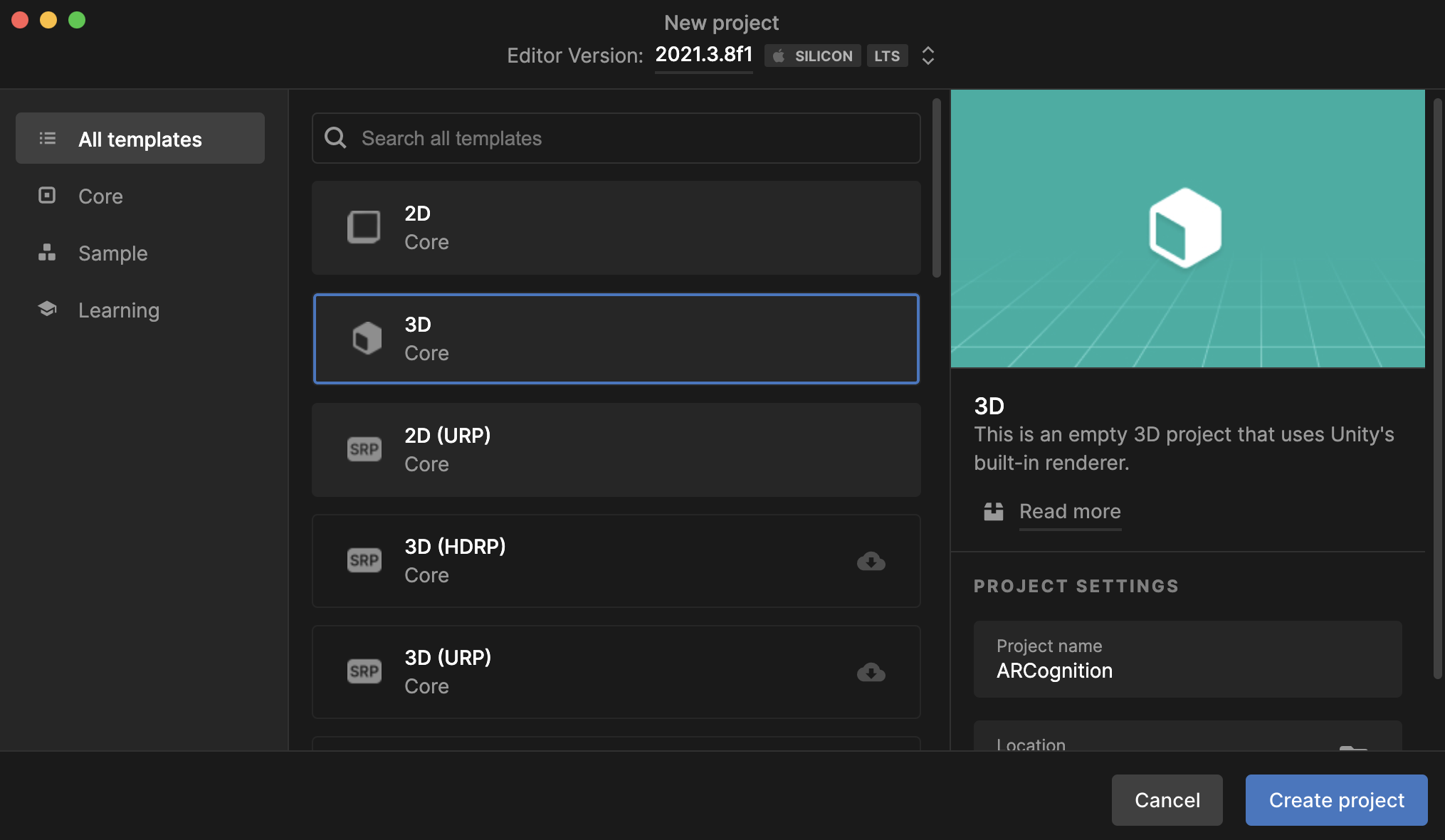
- It will take a few minutes, and you will get a new Unity 3D project.
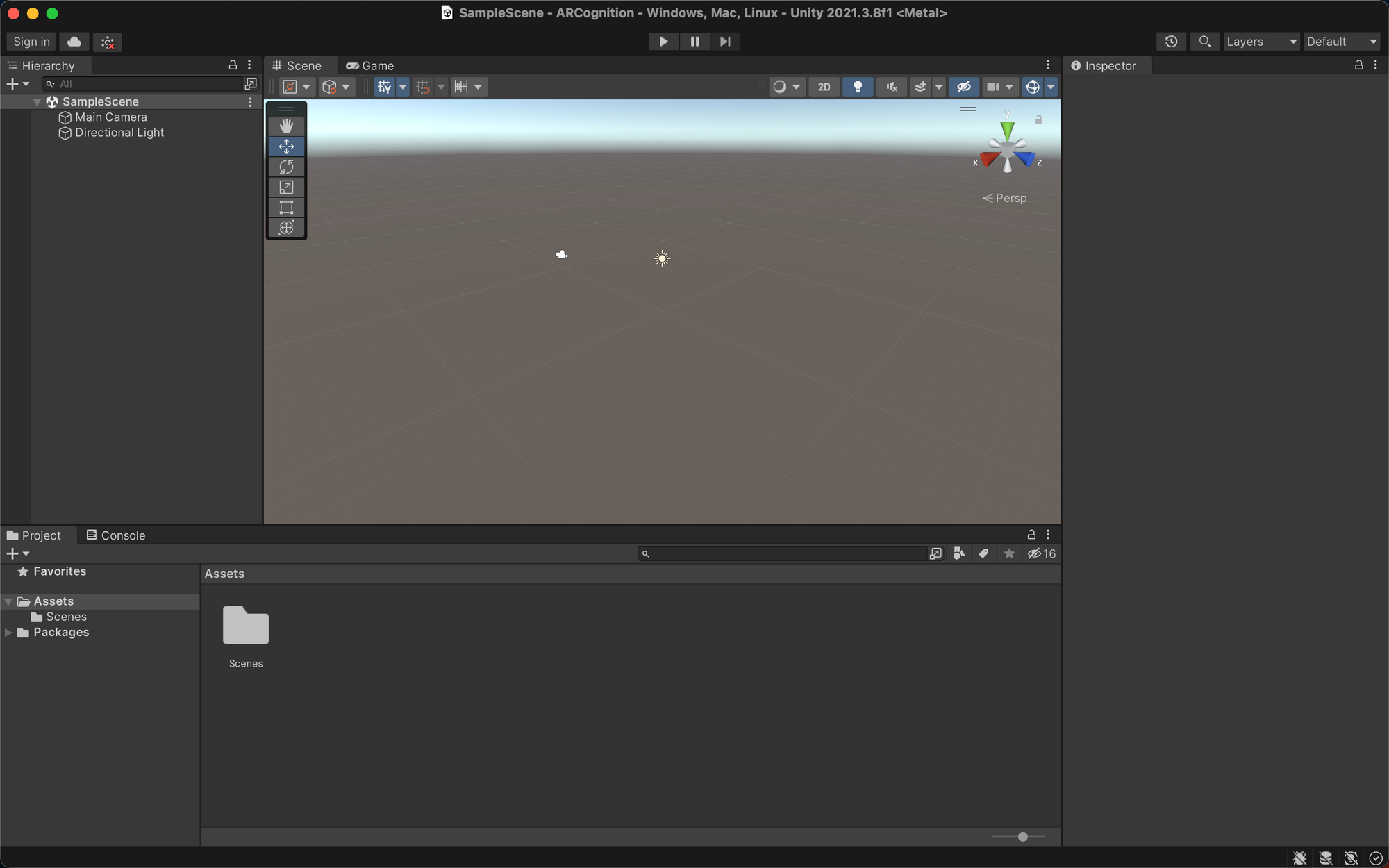
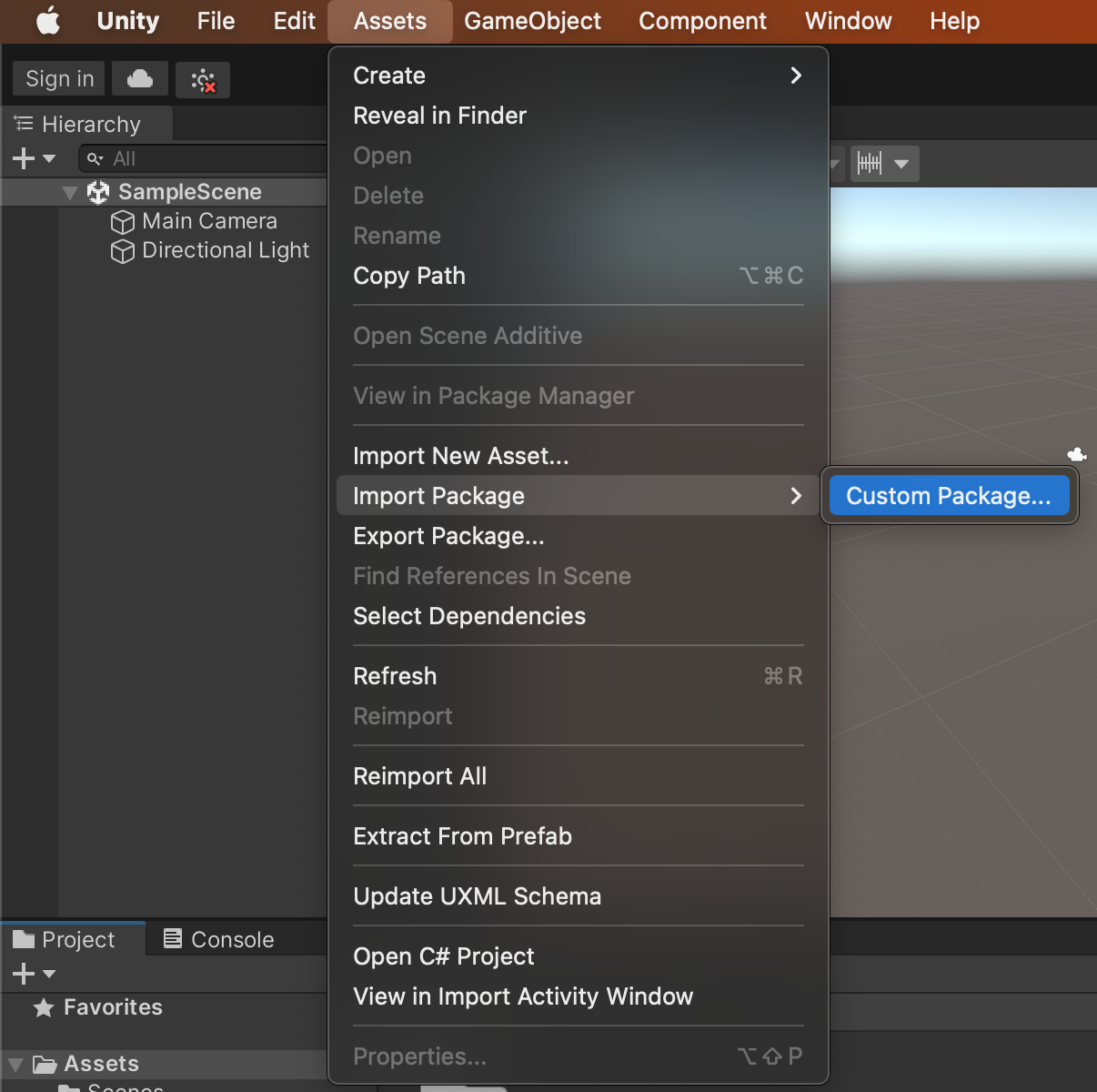
Step 03: Importing Lightship ARDK packages to Unity
- Import ARDK files to Unity via Assets --> Import Package --> Custom Package
- Make sure to select all the downloaded files following the above process starting with
ardk-x.x.x.unitypackage.
Step 04: Integrate Lightship ARDK Account with Unity Project
- Create an account on the Lightship Developer Platform.
- Login to your Lightship developer account, go to the Projects section and click on the "New Project" button to create a new project.
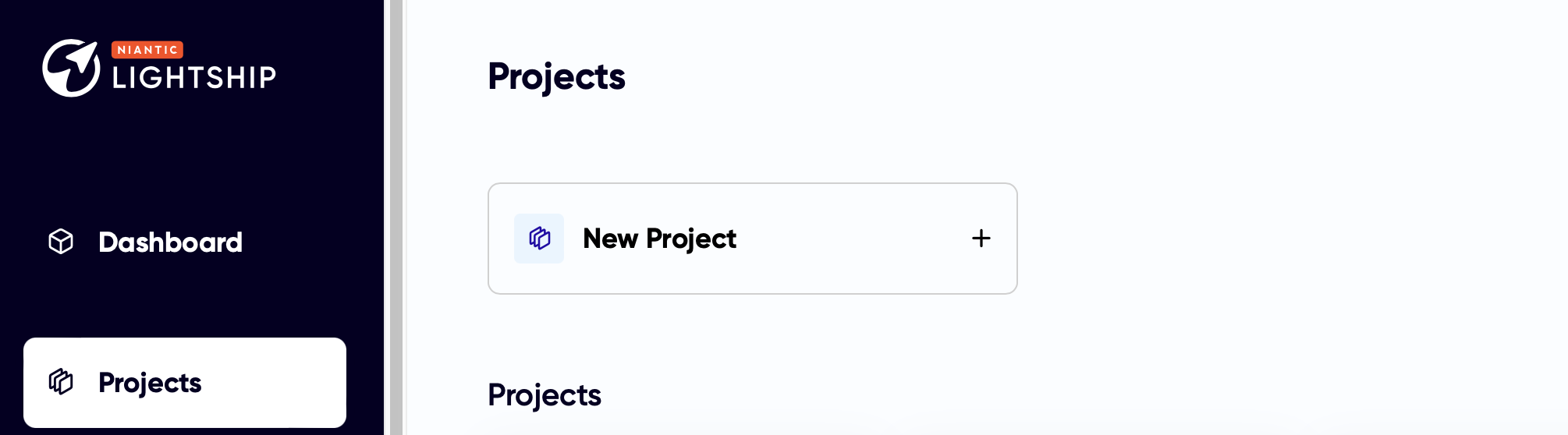
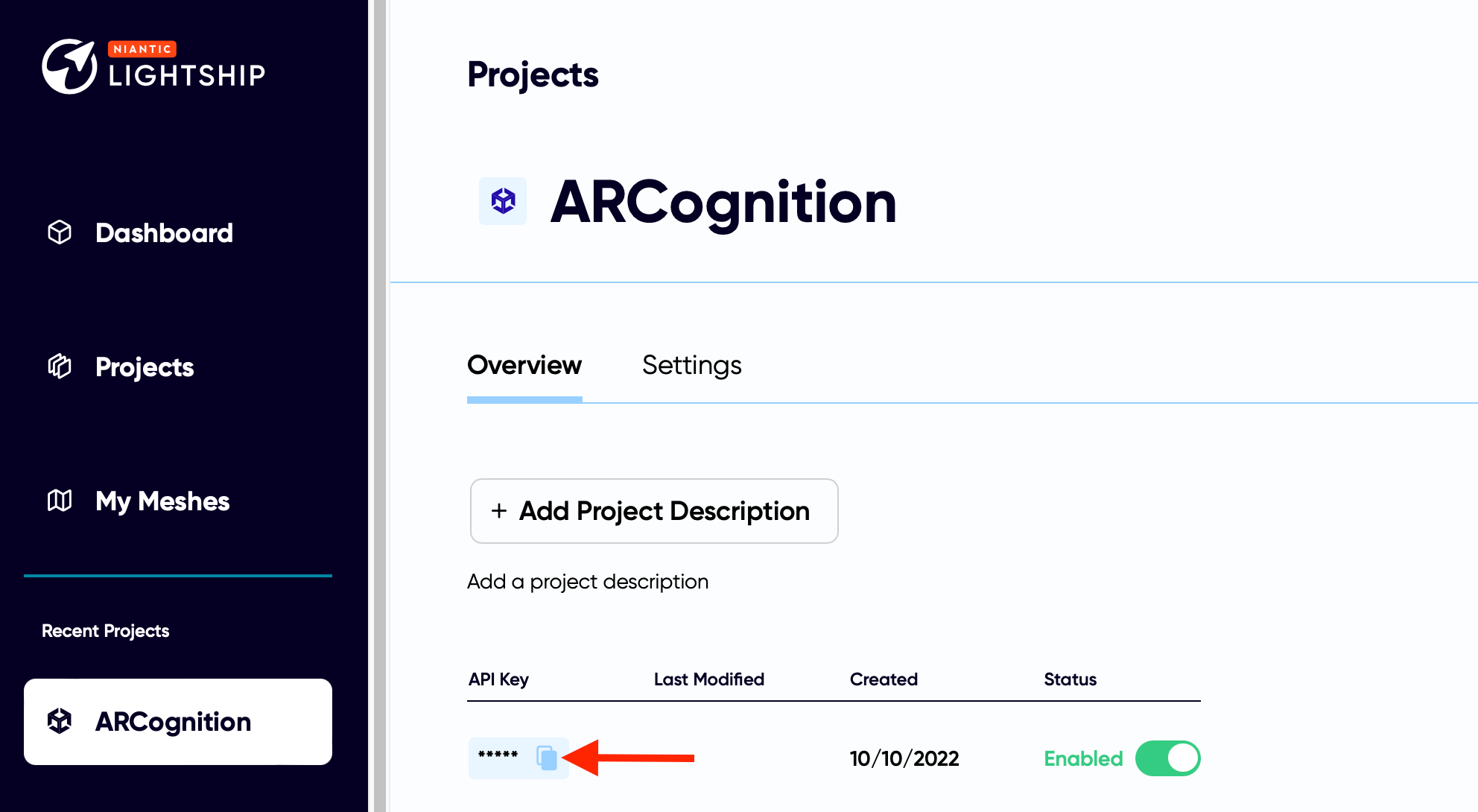
- You can rename your newly created project and create a new API key by clicking the "+Create New Key" button. Then you need to copy your newly created API key by clicking the Copy button.
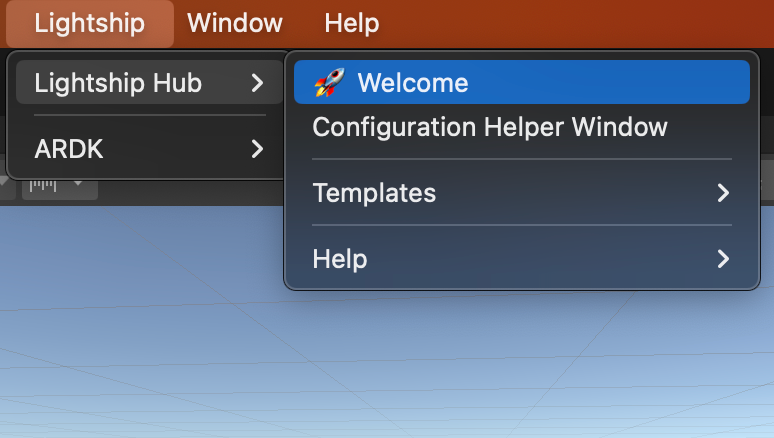
- Then open Configuration Helper Window through Lightship --> Lightship Hub --> Configuration Helper Window.
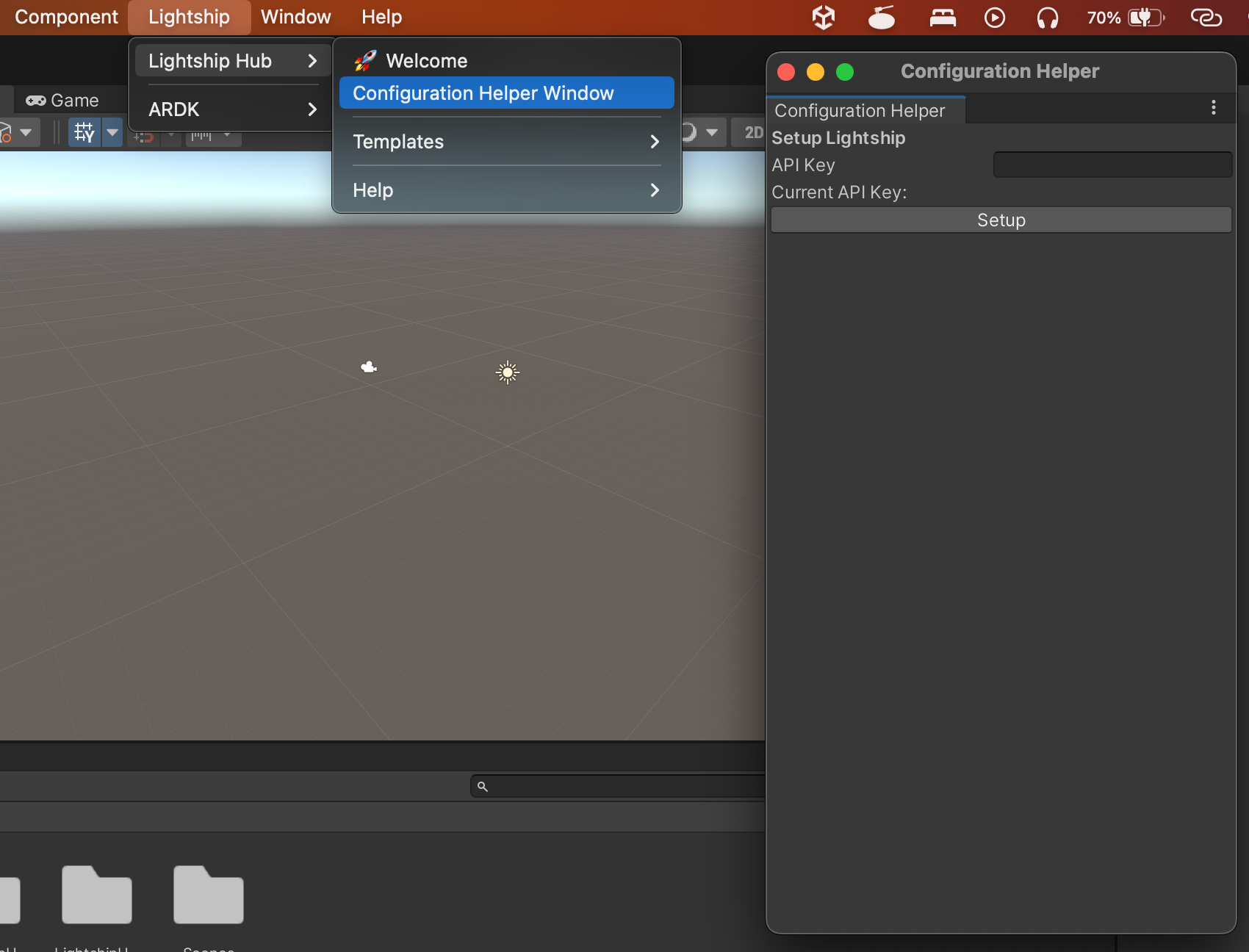
- Paste the previously copied API key to the "API Key" input box and click the "Setup" button.
- You may get a popup message to confirm the API key submission is successful. Now you may close the "Configuration Helper" window.
⚠️
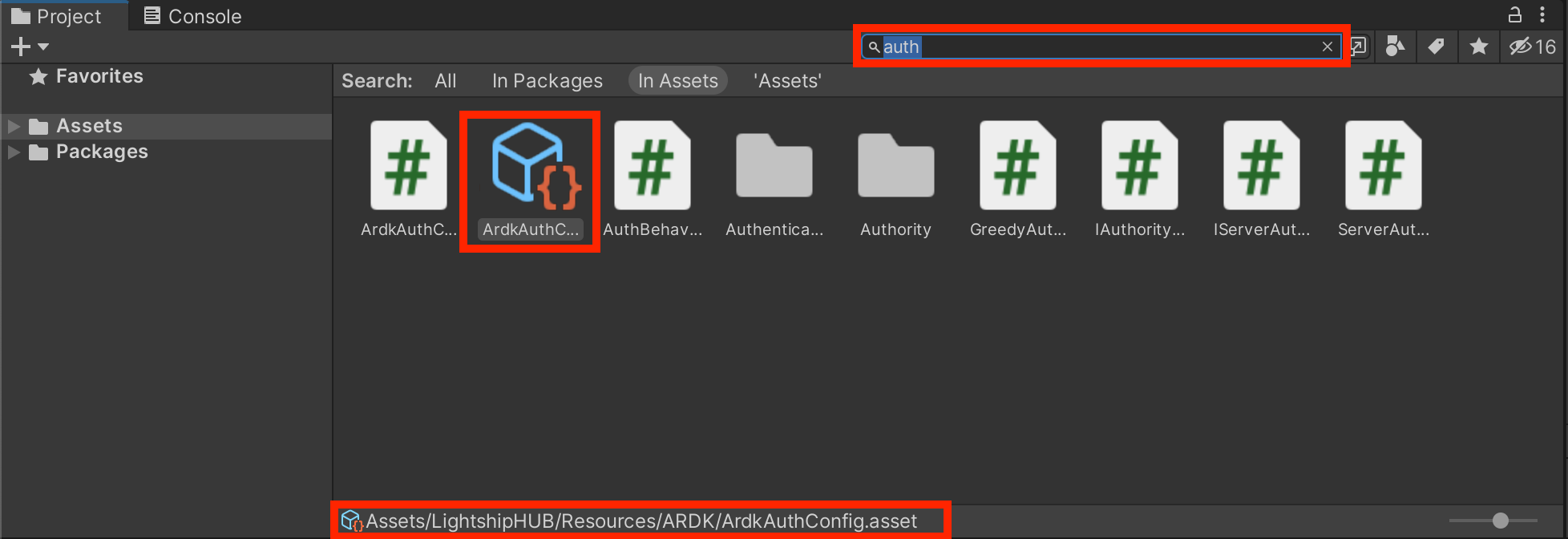
Make sure you have only one ArdkAuthCongig.asset in your Project. You can search and verify it. If multiple ArdkAuthConfig.asset files are found, delete the duplicates and keep only one (which is located at _Assets/LightshipHUB/Resources/ARDK path.)_
Step 05: Use Lightship Templates
- Open Lightship Hub through Lightship --> Lightship Hub --> Welcome
- You will get get "Lightship Templates Gallery" window.
- These pre-made AR applications include various AR functionalities ranging from basic AR object placement to Shared AR and Visual Positioning System (VPS) based experiences.
- As a beginner, you can use one of these templates and customize one to get familiar with AR.
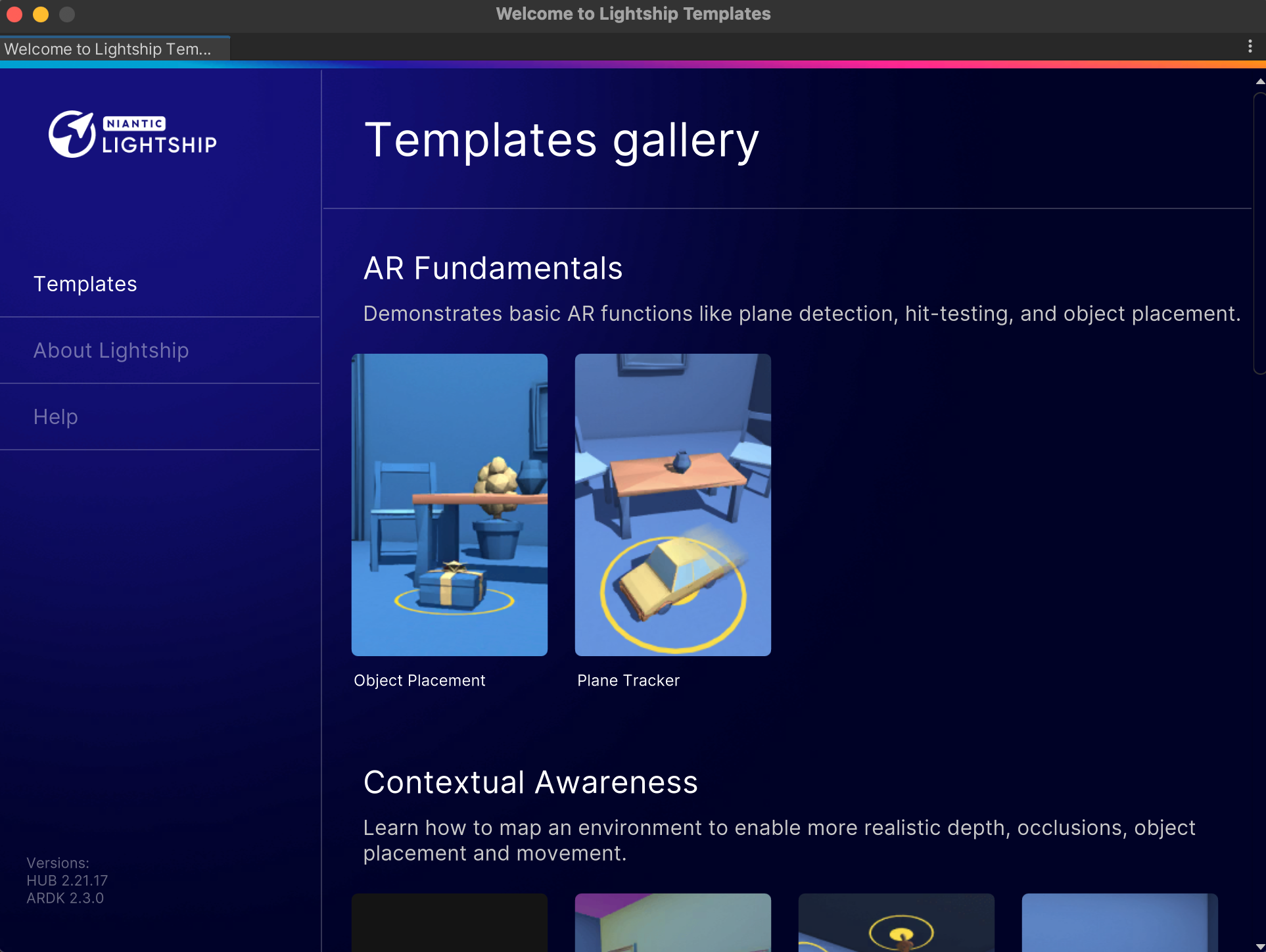
- Let's pick the "Object Placement" template. Once you click on it, your Unity will be updated with all the project resources and configurations.
Step 06: Use Mock Environment and Test the AR App
- Now you have an AR app ready to test. But first, let's open Virtual Studio and load a mock environment so you can test your AR app within the Unity editor.
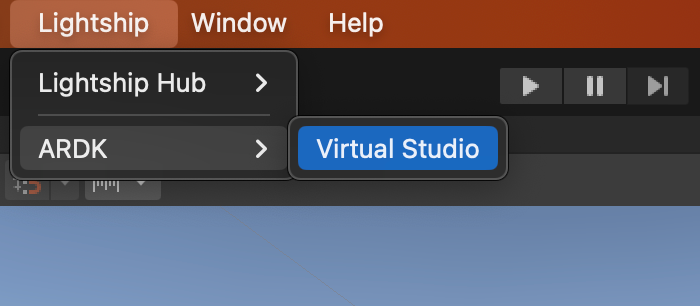
- Go to Lightship --> ARDK --> Virtual Studio
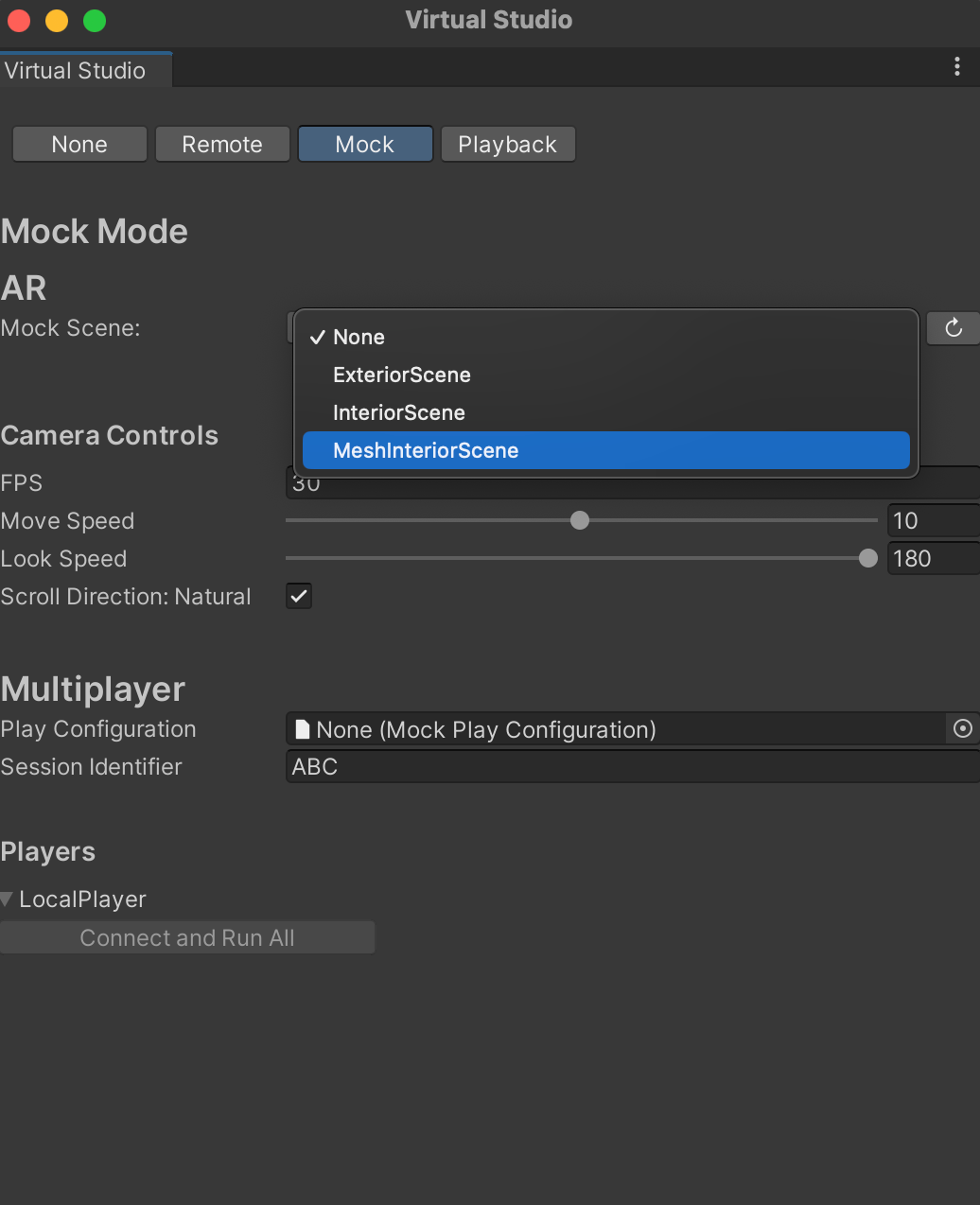
- You will get the Lightship Virtual Studio as below. Next, go to the "Mock" tab and select "MeshInteriorScene" from the Mock Scene drop-down.
- Now you can run your AR app by clicking the run button on top of your Unity editor.

- You can use the mouse and WASD keys to navigate the mock environment and place the AR object on horizontal surfaces.
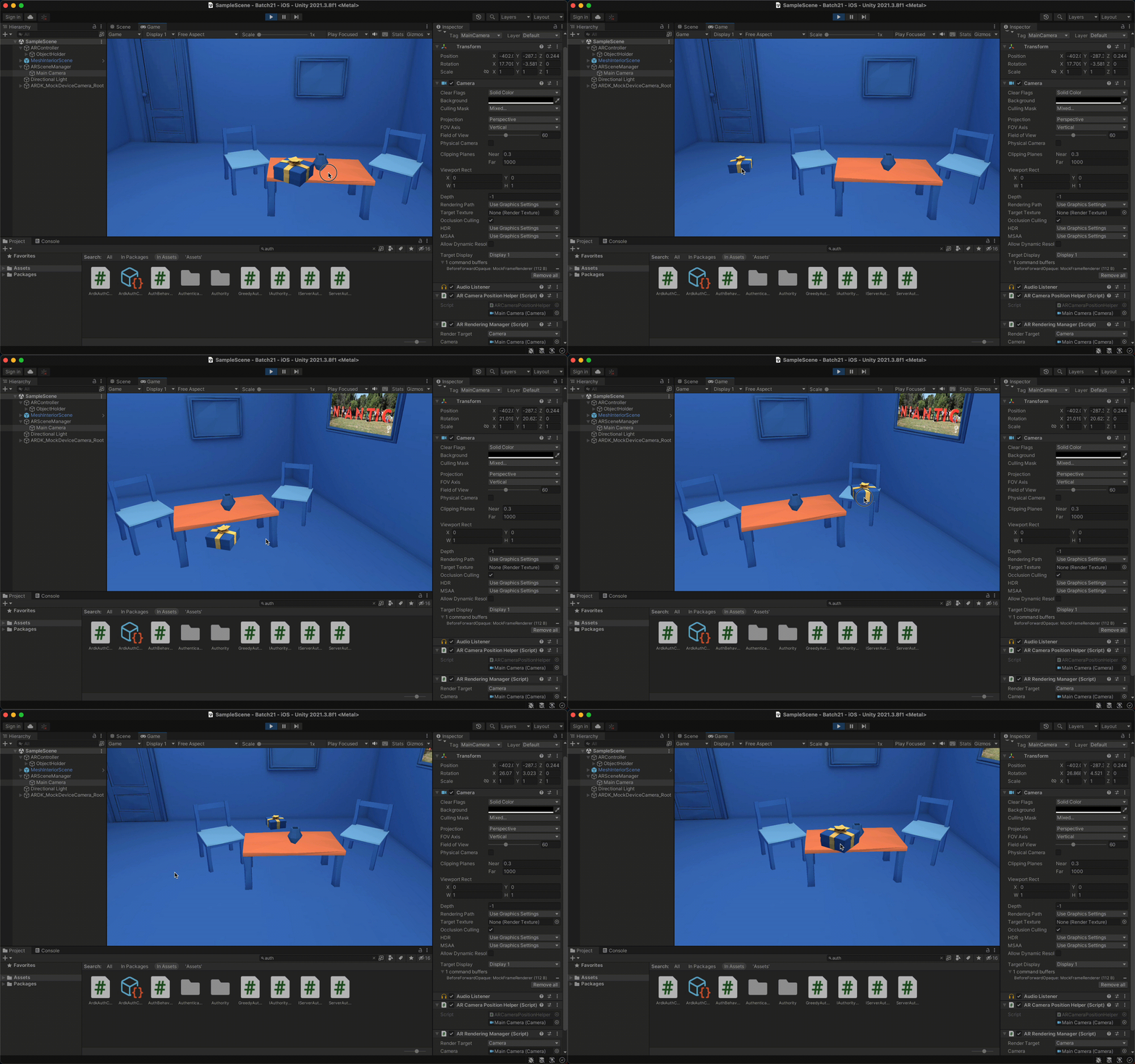
From here, you're ready to start building your own AR experience with Lightship ARDK.
Originally published on readclub.me.