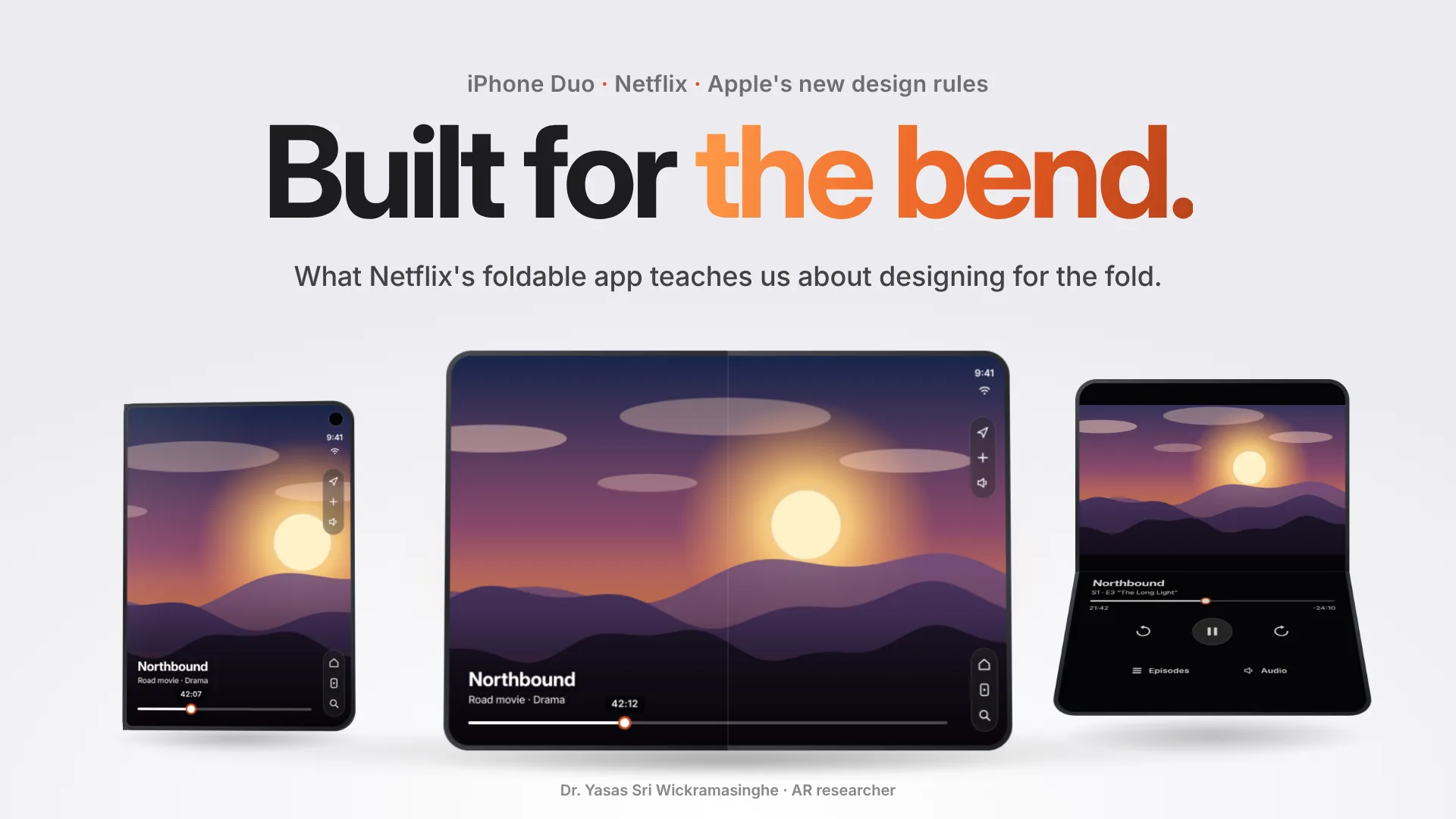
A short Instagram reel of the Netflix app running on the new iPhone Duo sent me down a rabbit hole this week.
On the surface it looks simple. You watch a clip on the small screen, you open the phone, and the clip keeps going on the big screen. But that tiny moment hides a lot of design decisions. Where do the buttons go? What happens to the picture when the screen bends in the middle? What if the phone is standing on a table?
Apple has written down its answers. On the same day it announced iPhone Duo, it published a new page in its Human Interface Guidelines called “Designing for iPhone Duo”. Netflix was one of the first apps to follow it.
So I want to walk through both: what Netflix built, and the design rules behind it. I'll keep it simple for anyone who uses a phone, and I'll add a few notes at the end for my fellow HCI researchers.
What is iPhone Duo?
iPhone Duo is Apple's first foldable iPhone. It was announced on 9 September 2026 and goes on sale on 23 October. Closed, it has a 5.4-inch outer screen. Open, it has a 7.6-inch inner screen. Apple says both screens share the same aspect ratio, so content scales without awkward cropping.
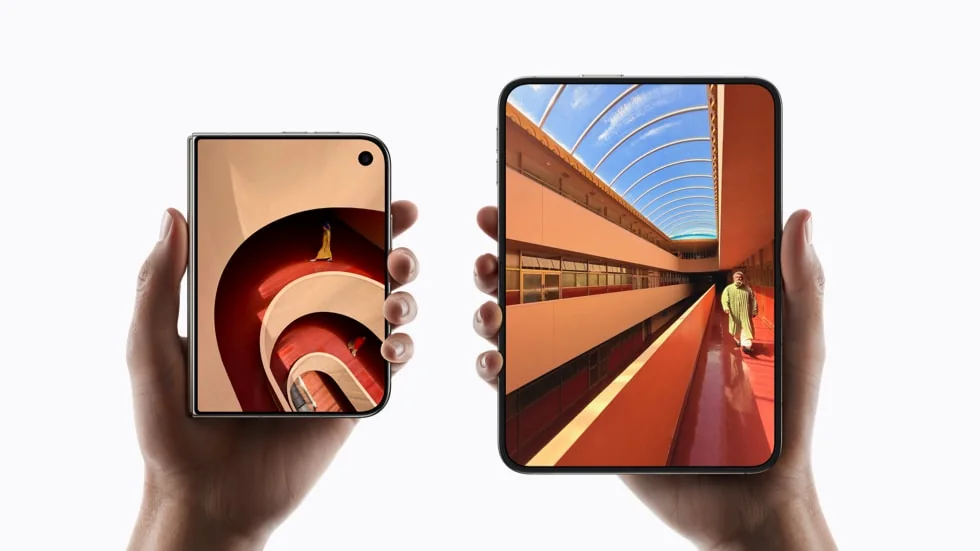
Folding phones are not new. Samsung launched the first mainstream foldable in 2019, and foldables still make up a very small share of phones sold. What is new is Apple bringing its whole app ecosystem, and a fairly strict set of design rules, to the shape.
What did Netflix change for iPhone Duo?
Netflix made three changes: Clips that carry on when you open the phone, playback controls that follow the fold, and a bigger Billboard. Apple put Netflix on stage as an example of an app built for the fold, and Variety and What's on Netflix reported the details.
1. Clips that follow you from the small screen to the big one
Netflix already has Clips, a scrolling feed of short videos from its shows and films. On iPhone Duo you can scroll Clips on the outer screen with the phone closed. When you open the phone, the same clip carries on, and the video switches from vertical to horizontal.

This sounds small, but it's the whole point of a foldable. You start something in your pocket-sized mode and continue it in your big-screen mode without losing your place.
2. Playback controls that move with the phone
This is the feature I find the most clever. The video player changes its layout depending on how you hold the phone: fully open, folded, or propped up.
If you stand the phone on a table half open, like a tiny laptop, the picture stays on the upright top half and the controls drop to the bottom half lying on the table.

Look at the first state in that animation. With the phone flat, the play button lands right on the fold line. That's fine when the screen is flat. It's not fine when the screen is bent, because you'd be tapping into a valley. Moving the controls to the bottom half solves that, and it also puts them where your finger can rest on a stable surface.
To be fair to the rest of the industry, Android foldables like the Galaxy Z Fold and Pixel Fold already let Netflix do something similar: video on the top half, controls on the bottom. So this is less of an invention and more of a good idea arriving on a new platform.
3. A bigger, livelier Billboard
The Billboard is the large banner at the top of the Netflix home screen. On iPhone Duo it uses the larger display for more dynamic visual effects. The reports so far don't describe those effects in detail, so I won't guess.
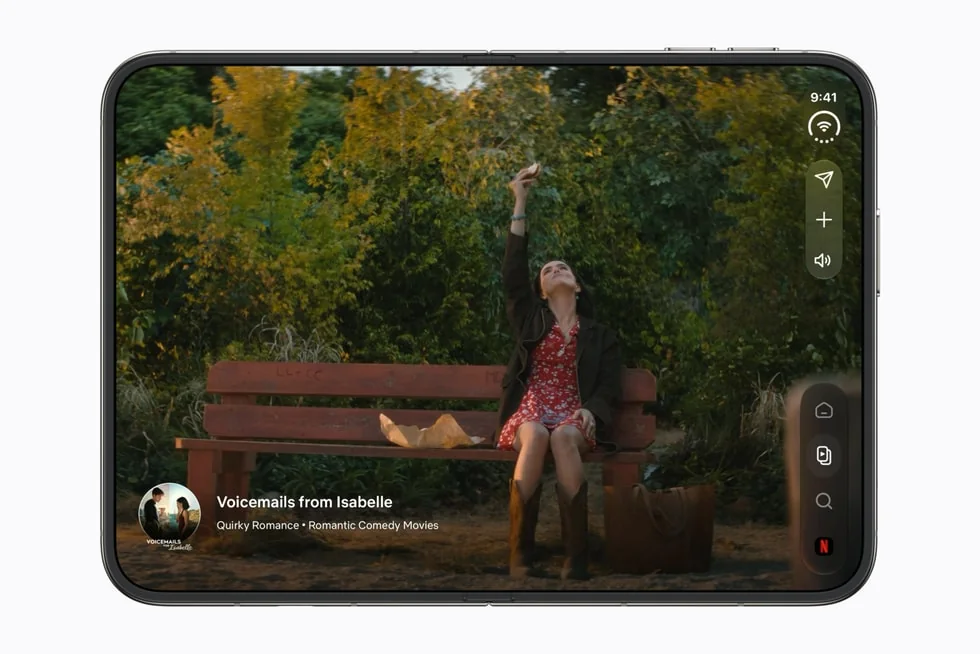
A Netflix spokesperson told Variety that members want the “same immersive, big-screen feeling to travel with them”. You can see that idea in all three features. The app isn't trying to be different on each screen. It's trying to feel like one continuous experience.
What do Apple's iPhone Duo design guidelines say?
In one line: build one layout that resizes well, keep it the same app on both screens, let controls move to the side, and when the phone folds, move things just enough. The Human Interface Guidelines page is short and quite readable. Here is my summary of the parts that matter most.
Rule 1: Don't design six layouts. Design one that resizes well.
Apple calls the different ways you can hold the phone poses. Folded like a book, flat on a table, standing on its edge, propped like a laptop, and so on.
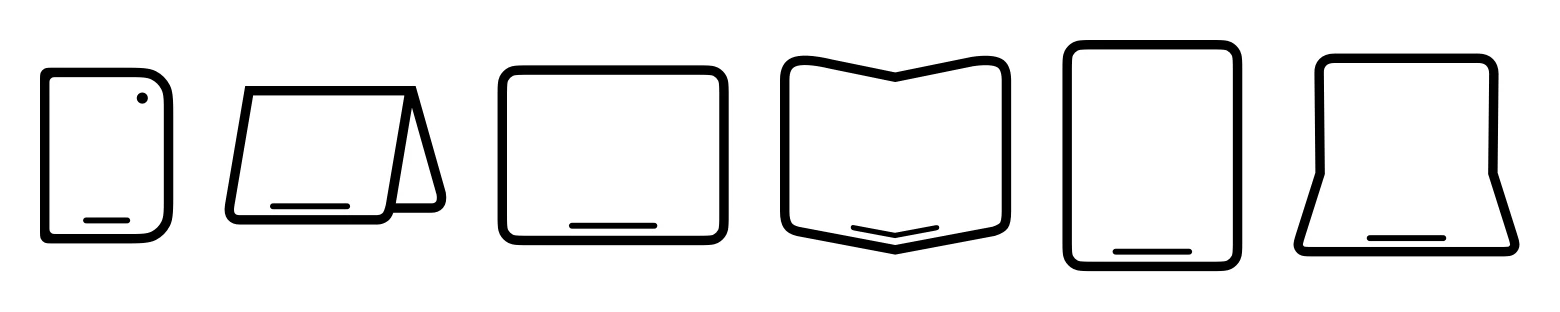
You might expect Apple to ask for a special design for each pose. It does the opposite. It says apps should use the same layout tools they already use for different screen sizes (Apple calls them size classes, margins and safe areas) and let the layout stretch. Avoid fixed widths. Avoid anything tied to one specific screen.
I like this rule a lot. It's the boring answer, and boring answers usually age well.
Rule 2: It's the same app on both screens.
Apple asks apps to keep the same features and the same state across both screens. The inner screen can show one extra level of detail if it helps. Apple's example is Mail. Closed, you see either your inbox or one email. Open, you see both side by side.
What you shouldn't do is hide a feature on one screen, or make people learn a different app when they open the phone.
Rule 3: The controls move to the side.
This is the most visible change. On the outer screen, which is wider and shorter than a normal iPhone, the system moves toolbars and tab bars from the top and bottom to the right edge. That keeps more height for your content.

Apple is clear that apps should, in general, not override this. The side position is meant to become something your hands just know, across every app. The guidelines also cover the details: back and close at the top, frequent actions kept visible longest, symbols instead of text labels where possible, and one shared overflow menu.
Rule 4: When it folds, move things just enough.
Some parts of the screen are special. Apple calls them reserved regions: the outer camera, the inner camera when it's on, and the fold itself when the phone is half open. Content should stay out of these spots.
The system already handles a lot of this. Alerts, menus and sheets move away from the fold on their own. Split views adjust their columns. Apple's guidelines even suggest using an even number of columns in grids, so the fold falls between items rather than through one.

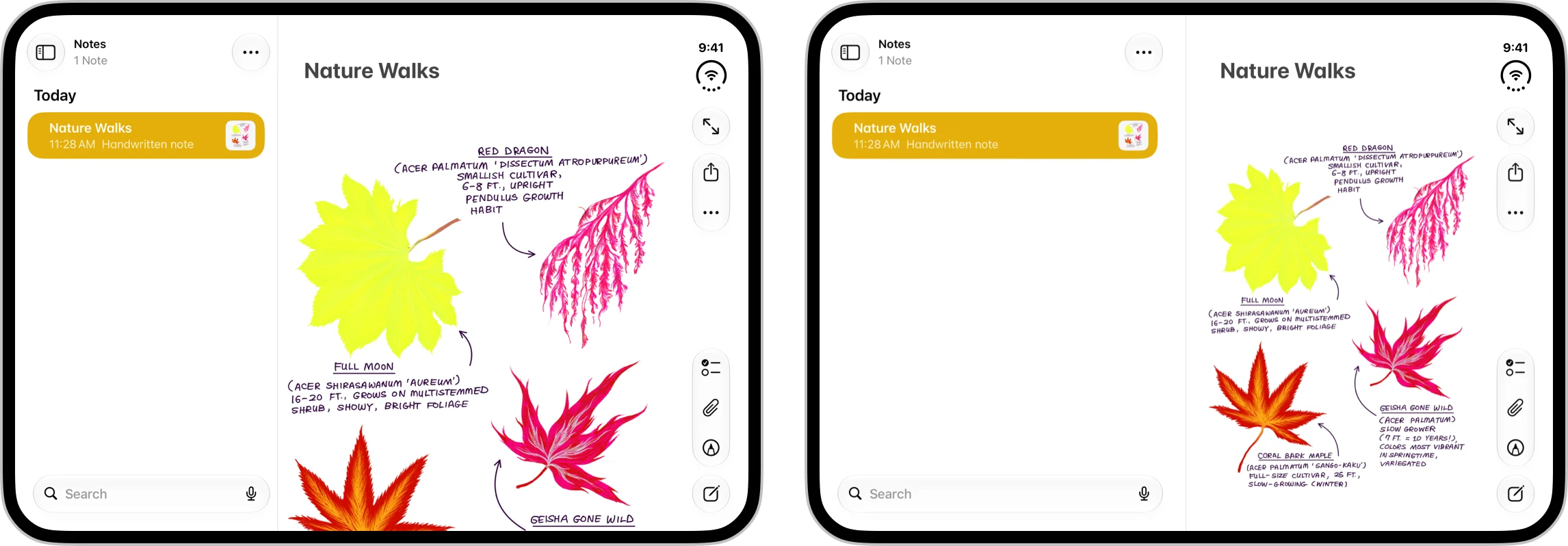
But the key line is about restraint. Apple asks designers to avoid big layout changes when people fold the phone. Move only what you need to keep things visible and easy to tap. If buttons jump around, people lose track of them.
Netflix's playback design fits this rule. The controls move once, to a place that makes sense, and stay there.
Rule 5: Games should fill the screen.
A smaller point, but a nice one. Games can lock to portrait or landscape, but they should still fill the screen as the pose changes. Apple prefers changing the aspect ratio over adding black bars. If bars can't be avoided, it suggests filling them with artwork so it still feels full screen.
Why does iPhone Duo matter for HCI research?
Because it turns ideas the research community has studied in the lab into everyday behaviour for millions of people. Here are the threads I find most interesting.
Posture as context. Research prototypes have looked at how the angle between two screens changes what people want to do. One well-known example is Codex, a dual-screen tablet prototype from Hinckley and colleagues at CHI 2009. Apple has now turned “pose” into a first-class design concept. That gives us a chance to study posture-aware interfaces outside the lab.
Spatial memory and stable controls. Apple's “move just enough” rule lines up with what we know about spatial memory in interfaces. People become fast when commands stay in the same place, and lose that speed when layouts shift. Cockburn and colleagues' survey on novice-to-expert transitions (ACM Computing Surveys, 2014) is a good starting point. An open question is whether one shared side position across all apps speeds up learning, or whether the switch between side bars (outer screen) and normal bars (inner screen in portrait) causes small but real errors.
Noticing layout changes. When content moves during a fold, users have to re-find things. The change blindness literature, for example Rensink, O'Regan and Clark (1997), suggests that changes during a physical action can be easy to miss. It would be interesting to measure how much animated, minimal movement actually helps compared with simply re-flowing the layout.
Reach and grip. Moving controls to one edge is a strong bet about how people hold a wider phone. It would be worth testing with left-handed users and people with smaller hands, since the controls stay on the same side even in right-to-left languages.
If anyone is already running studies on any of this, I'd love to hear about it.
What can app makers learn from Netflix?
Start with a layout that resizes cleanly, then design carefully for the one or two moments where the fold really changes things. As a checklist:
- Make sure your layout resizes cleanly before you add anything special.
- Keep the same features on both screens.
- Use the system bars and let them move to the side.
- Find the moments where the fold genuinely changes the experience, like Netflix's propped-up playback, and design those with care.
- Keep everything else calm.
Final thought
The hinge gets the headlines, but the guidelines are the real story. Apple's message is basically: don't treat the fold as a gimmick, treat it as a change in context, and only respond where it helps people.
Netflix's version of that is a play button that knows where your finger will be when the phone is on a table. That's a small thing. Good design usually is.
What app would you most like to see redesigned for a folding phone?
Sources
- Apple. Designing for iPhone Duo. Human Interface Guidelines, 9 September 2026.
- Apple Newsroom. Apple unveils iPhone Duo. 9 September 2026.
- Variety. Netflix and Apple iPhone Duo features. 9 September 2026.
- Hurst, A. Netflix Has Redesigned its Mobile App for iPhone Duo: What's Different?. What's on Netflix, 10 September 2026.
- Unagar, S. Designing for iPhone Duo: HIG Guide in 5 Minutes. 12 September 2026.
- Hinckley, K., Dixon, M., Sarin, R., Guimbretière, F., & Balakrishnan, R. (2009). Codex: A Dual Screen Tablet Computer. CHI.
- Cockburn, A., Gutwin, C., Scarr, J., & Malacria, S. (2014). Supporting Novice to Expert Transitions in User Interfaces. ACM Computing Surveys 47(2).
- Rensink, R. A., O'Regan, J. K., & Clark, J. J. (1997). To See or Not to See: The Need for Attention to Perceive Changes in Scenes. Psychological Science 8(5).
Images credited to Apple Newsroom and Apple Human Interface Guidelines belong to Apple Inc. and are used for commentary. The animations are my own illustrations; the show “Northbound” and its artwork are made up.